Description
DStaticVPN — A Static IP VPN Built for Windows
Get a dedicated public address, forward any port, block ads system-wide, and route your traffic through a private encrypted tunnel — all from one lightweight Windows app.
Most VPNs give you a shared IP that changes every session. DStaticVPN gives you a stable public endpoint — the same address every time you connect — so you can host game servers, run remote desktop, expose home lab services, or use any tool that needs an incoming port. All wrapped in a fast, ad-blocking, encrypted client with a native Windows interface.
▶ Watch the setup video (2 min)
Why DStaticVPN Is Different
Ordinary consumer VPNs are built around one workflow: hiding your outbound traffic. DStaticVPN does that too — but it also does what other VPNs deliberately block: incoming connections to a fixed address that’s yours alone.
- Your address stays the same. Share
yourname.duckdns.org:1338with a friend today, and it still works tomorrow — no matter how many times you disconnect and reconnect, no matter what your ISP does to your local IP. - Any TCP port you want. Not just gaming ports, not just HTTP. Whatever port your server, tool, or app needs — you forward it, we route it.
- Runs natively on Windows. No mystery drivers, no kernel-level clutter. Just a clean Win32 app that starts in under a second.
Key Features
🌐 A Dedicated Public Address, Yours Alone
Every DStaticVPN account comes with an incoming endpoint that persists across sessions. Use it for game hosting (Minecraft, Terraria, ARK, Valheim, Rust), remote desktop, self-hosted apps (Plex, Home Assistant, Nextcloud), development webhooks (Stripe, GitHub, ngrok-style testing), or anything else that needs to be reachable from the internet.
🔀 Port Forwarding Without the Router Hassle
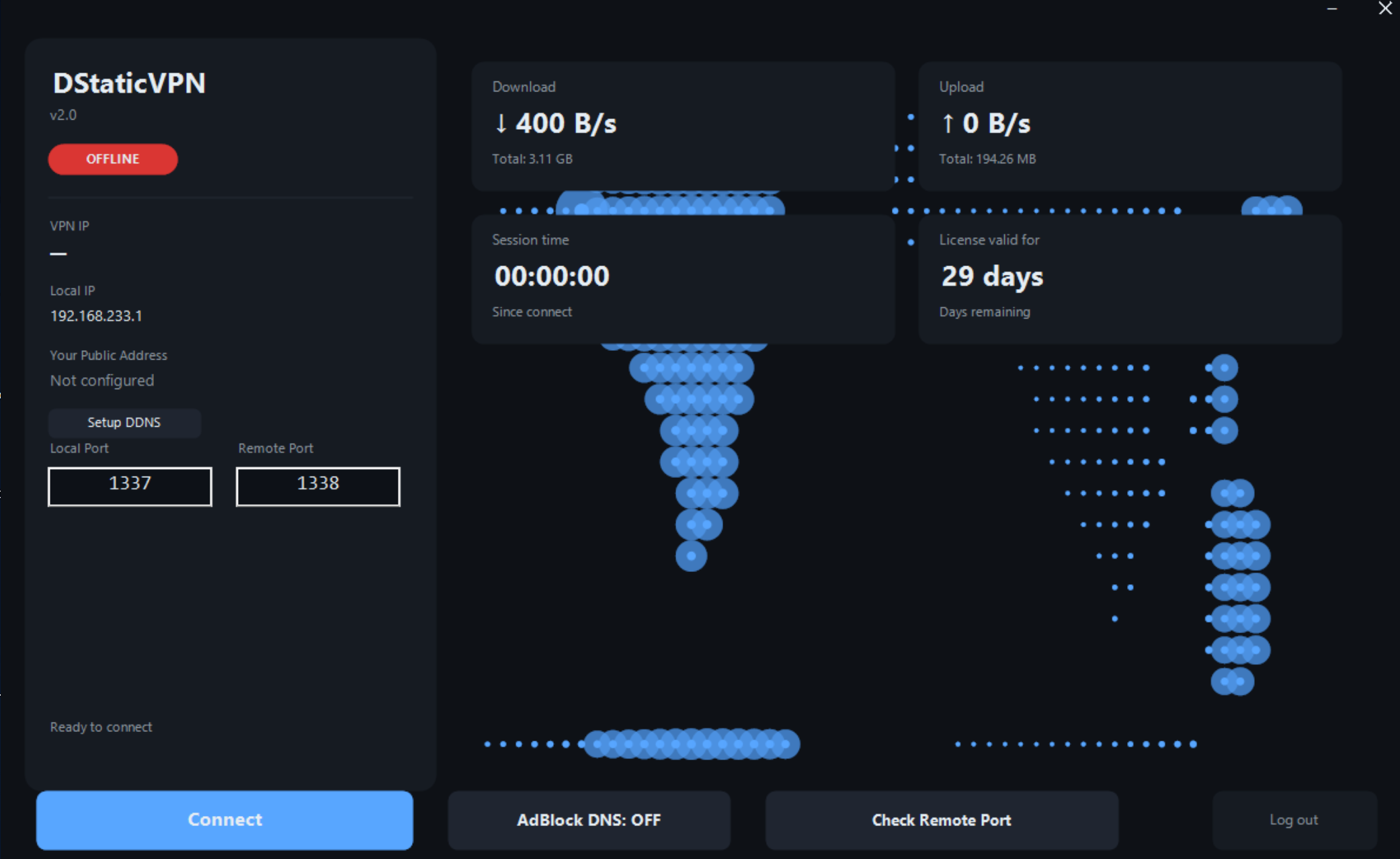
Behind CGNAT? On a hotel network? On a Starlink connection where port forwarding is impossible? DStaticVPN sidesteps all of it. You choose the local port, choose the remote port, and traffic flows both ways — no router configuration, no ISP calls, no static IP purchase from your provider.
🔗 One-Click Friendly Hostname (DuckDNS Built-In)
Skip the raw IP address entirely. Enter your DuckDNS credentials once, and share a memorable name like alex-vpn.duckdns.org:1338 with anyone who needs to reach you. Auto-fills your token from the clipboard, auto-suggests a subdomain — the entire setup takes about 30 seconds.
🛡️ System-Wide AdBlock DNS
One toggle switches your entire PC to a filtering DNS resolver that blocks ads, trackers, and known malware domains across every browser, every app, every background service. Not a browser extension — a real network-level block that even shady mobile-app ads can’t route around.
🔐 Encrypted Tunnel with Modern Ciphers
All traffic between your PC and our gateway rides inside an SSH-authenticated tunnel with AES-256 and ChaCha20-Poly1305 ciphers. Host key pinned in the client, so nobody can silently swap servers on you. Your license key and session credentials are protected end-to-end with HMAC-SHA256 request signing.
💻 Native Windows Client, No Bloat
The whole client is a single 440 KB EXE — no installer, no auto-launched services, no telemetry. Runs on Windows 7 through Windows 11, both 32-bit and 64-bit, admin or non-admin (some features require admin). Frameless dark UI that stays out of your way.
🔎 Live Port Reachability Check
One click confirms whether your forwarded port is actually reachable from the outside internet — no more “is it working? did I break it?” guessing. Real-time status right in the app.
🖥️ One License, One Device
Your license is bound to your PC on first login. Nobody else can use the same key on another machine unless you release the binding. Fair for legitimate users; annoying for the people who like to share paid accounts around.
System Requirements
- OS: Windows 7, 8, 8.1, 10, or 11 (32-bit or 64-bit)
- RAM: 100 MB free
- Disk: Under 1 MB (no installer, single portable executable)
- Network: Any internet connection — works over cellular, WiFi, Ethernet, Starlink, or behind CGNAT
How It Works (in 4 Steps)
- Buy a license — you get a key by email within minutes
- Download and run the single-file DStaticVPN client
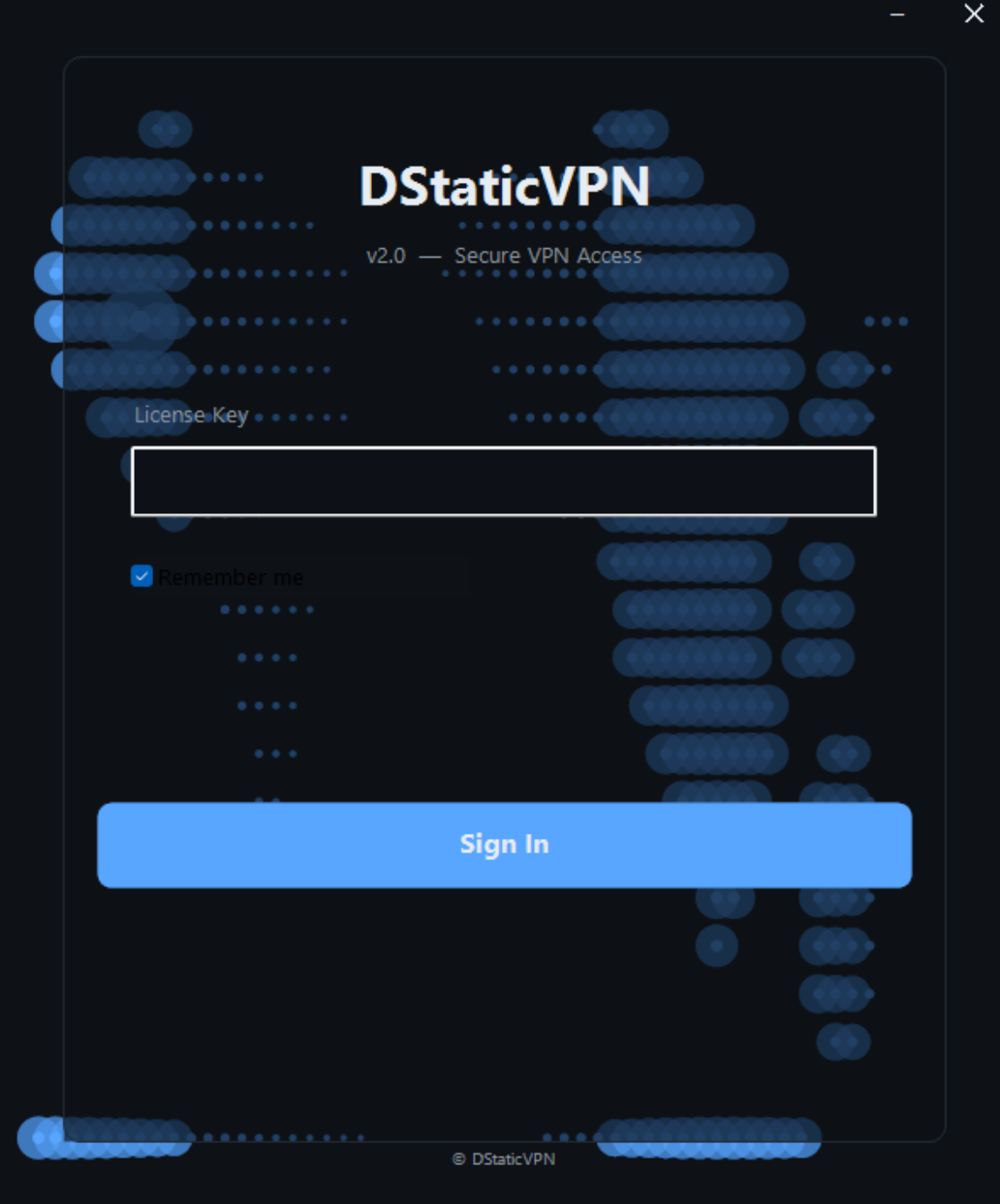
- Paste your license key and choose your local and remote ports
- Click Connect — your friendly address is live and ready to share
Optional: set up your DuckDNS subdomain in 30 seconds so you share a memorable name instead of an IP.
FAQ
Does DStaticVPN work like NordVPN or ExpressVPN?
Not quite. Those VPNs focus on hiding your outbound traffic behind a shared IP. DStaticVPN focuses on giving you a stable, dedicated incoming address plus a private tunnel. Some overlap in privacy benefits, but very different products.
Do I need to configure my router?
No. That’s the whole point. All routing happens inside the DStaticVPN tunnel — your router sees only ordinary outbound traffic.
Is my license transferable to a new PC?
Yes — contact support to release the device binding, then activate on the new PC.
Do you keep logs?
No, we don’t keep any logs, and we don’t track any user activity. We are focused on privacy because we believe privacy is a fundamental right for every user.
Which platforms are supported?
Windows only, at this time.
How do I cancel?
You can request to cancel your subscription at any time by contacting our support team.
Please note that once your license has been activated, refunds are not available. Your subscription will be canceled according to your current billing terms, but any fees already paid are non-refundable after activation.
Pricing
Monthly and yearly plans only, at this time.

Reviews
There are no reviews yet.